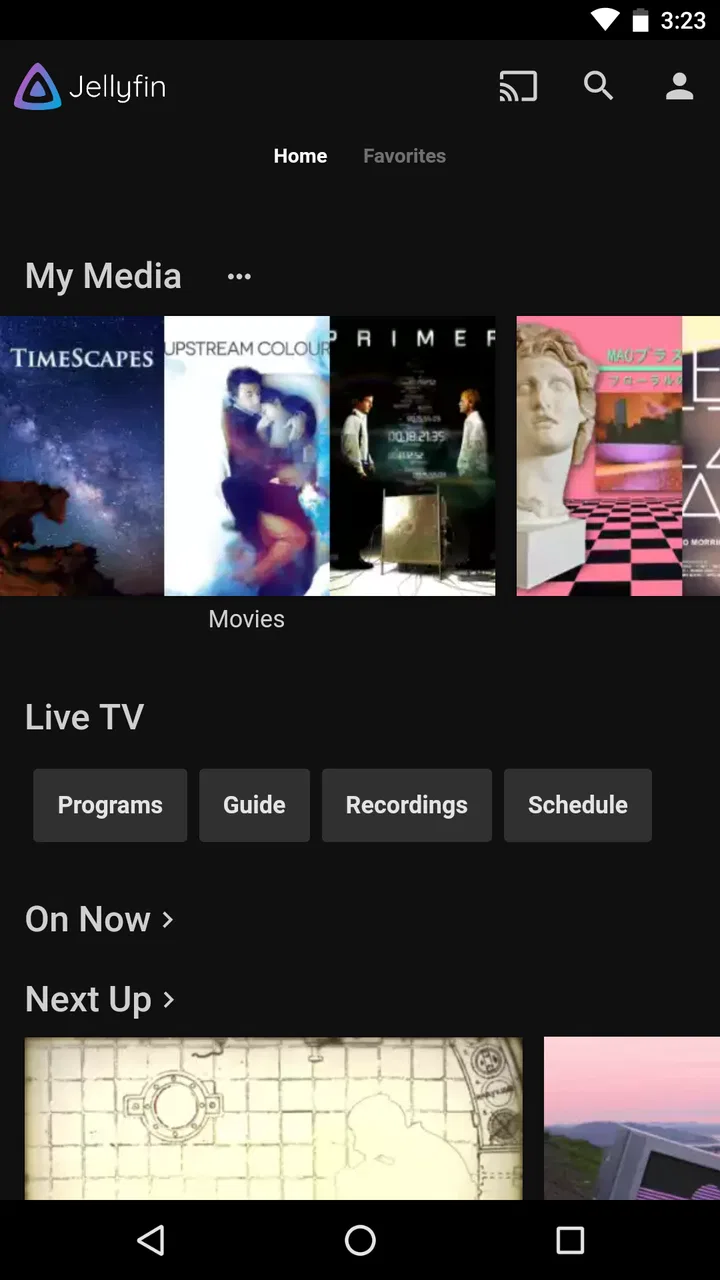
Jellyfin
- 4.0
- Rating
- 1.00M
- Installs
- Free
- Price

 Analysis by App-foxy
I like media apps that give me control without making me feel as if I need to rebuild my whole setup around them. Jellyfin takes that approach seriously. It is a free video player and editor app from Jellyfin, designed around the idea of watching your own media on your own terms. In everyday use, that makes it more interesting than a simple player, but also less effortless than a streaming service that works immediately after signing in.
My overall impression is that Jellyfin is best understood as the mobile part of a personal media system. The Android app is useful when your library is already organized somewhere you control, and it becomes especially appealing if you want to avoid depending entirely on a commercial catalog. It is not the obvious choice for someone who only wants to open an app and start browsing professionally hosted shows.
What using Jellyfin feels like day to day
The first thing I noticed is that the app’s speed cannot be judged in isolation. A local file, a nearby server, and a remote stream can produce very different experiences. When the media source is ready and the network is behaving, browsing and playback feel straightforward. When the source needs preparation or the connection is inconsistent, the app’s responsiveness depends heavily on the rest of the setup.
You May Also Like

 Blood Strike: 2.5 Anniversary
Blood Strike’s Loadouts Turn Every Drop Into a Tactical Gamble
A close look at Blood Strike’s custom loadouts: how fast access to signature weapons reshapes its battle royale rhythm, rewards preparation, and narrows the gap between fights.

 Pandora - Music & Podcasts
Pandora’s Music Is Easy to Start, but Harder to Recover
Pandora’s strength is its low-effort path from a seed to a station. Its weak spot is how much confidence it asks you to place in connection, setup, and quiet recovery.

 8 Ball Pool
 Is Built on Rivalries, Rematches, and Routine
A close look at the rivalries, rematches, shared routines, and unanswered safety questions that turn a quick pool match into a persistent mobile community.

 Samsung Music
’s Quiet Strength Is Playing What You Already Own
Its reach comes less from spectacle than from dependable access to a personal library. That simplicity is both the app’s strongest retention engine and its ceiling.

 AccuWeather: Weather Radar
AccuWeather Review: A Quick, Clear Forecast for Everyday Decisions
For everyday plans, the best forecast is the one you can understand quickly. AccuWeather makes rain timing, radar, and local conditions easy to act on, with a few trade-offs.

 Hill Climb Racing
Why Hill Climb Racing Still Turns Crashes Into One More Run
A tiny car, a bumpy hill and one more upgrade: Hill Climb Racing keeps resurfacing because its simple chaos makes every near-miss feel personal.
More From Our News Desk



That distinction matters because Jellyfin is not simply a folder browser with a play button. It connects the phone to a personal library, so the quality of the experience depends on how that library has been arranged and how capable the device serving it is. I would not blame the Android app for every delay, but I would tell new users to think of the whole chain: phone, network, server, storage, and video format.
The current version is 2.6.3, and the app supports Android 5.0 and later. That broad operating-system reach is useful if you are keeping an older phone or tablet in service, although compatibility with the operating system does not automatically mean every device will handle demanding video comfortably. A modern phone with a good connection is a much safer expectation than an old handset being asked to decode everything.
Jellyfin has a 4.2 average from around 6,300 ratings, while its total reach has passed 1 million installs. Those figures suggest that it is not an obscure experiment, but I would still approach it as a tool for people willing to understand their media setup. Its Everyone age rating and free price make trying it low-risk, especially if you already have access to a compatible library.
Speed depends more on the source than on the screen
For ordinary browsing, I found the important question was not whether the app looked busy, but whether the service behind it could answer quickly. Artwork, library information, and playback requests all have to travel through the connection. A phone on the same home network is in a very different position from a phone trying to reach the library while away from home.
This is one of Jellyfin’s less obvious trade-offs. A commercial streaming app hides most of the technical work behind its service. Jellyfin exposes more of the responsibility to the user. That can feel slower when something is misconfigured, but it also means you are not limited to a company’s catalog or interface decisions.
For the best experience, I would first test the app at home before planning to use it during travel. Start with a short video, then try a longer one, and pay attention to whether playback begins consistently. This simple check can reveal more than repeatedly changing settings on the phone, because it separates an Android problem from a library or network problem.
I also recommend keeping expectations realistic about instant seeking. Jumping through a video is easy when the stream is already in a friendly format and the connection is stable. If the system has to adapt the media before the phone can play it, seeking may feel less immediate. That is not necessarily a failure of the interface; it is a consequence of asking a personal server to prepare content dynamically.
What happens during heavier viewing sessions
Short viewing sessions are the easiest test. The more revealing scenario is a busy evening: one person watches from a television, another checks the same library on a phone, and a third device starts a different video. In that situation, the Android app remains only one part of the workload. The server may need to read several files, prepare streams, and send them across the network at the same time.
My advice is to avoid assuming that a powerful phone will solve every performance issue. The phone can display the result, but it cannot make a slow storage device faster or remove limits from a weak home server. If an episode pauses during a multi-device session, I would investigate the serving machine and network before replacing the handset.
There is also a practical difference between direct playback and conversion. When the phone can handle the original media, the route is simpler. When the format or quality is unsuitable, the system may need to adapt it. That can increase resource demand and create more opportunities for buffering. I would therefore prepare a library with mobile viewing in mind instead of treating every file as equally easy to stream.
A useful workflow is to test the same title on both home Wi-Fi and mobile data before leaving the house. If it works only on Wi-Fi, that does not make the app unreliable; it tells you that remote viewing needs more planning. You may need a stronger connection, a more suitable media format, or a server that can cope with the extra work.
Stability and recovering after interruptions
Reliability is not just whether a video starts. It is also what happens after the phone locks, the connection drops briefly, or another app takes focus. Jellyfin is most comfortable when the underlying service remains reachable. If that connection disappears, recovery is naturally less seamless than with an offline player that reads a file already stored on the device.
That is the central stability limitation I would explain to a friend: Jellyfin is dependable when the complete environment is dependable. A home router restarting, a server sleeping, or a remote connection changing can interrupt the experience even though the app itself has not changed. The advantage is that you retain control; the cost is that you also inherit responsibility for the parts a commercial service normally manages.
For recovery, I prefer a calm troubleshooting order. First check whether other devices can reach the library. Then check the phone’s connection, reopen the title, and only after that consider changing playback options. This avoids wasting time reinstalling the app when the actual problem is the server or network.
I would also avoid judging the app from one failed stream. Personal media systems have more variables than ordinary subscription apps. A second attempt on the same network can tell you whether the issue is repeatable. If the same title repeatedly struggles while simpler files play normally, the media itself or the conversion path deserves attention.
The developer’s open, self-hosted direction is part of the appeal, but it also explains why recovery may require a little more patience. Jellyfin is not trying to hide the relationship between your library and the device serving it. For technically comfortable users, that transparency is valuable. For people who want every failure resolved automatically, it can feel like extra work.
Older phones, modern phones, and practical device limits
The Android 5.0 minimum is generous, and it gives Jellyfin a place on older hardware that many newer apps may not prioritize. Still, operating-system support should not be confused with equal performance. Video decoding, available memory, storage speed, battery condition, and wireless hardware all affect how pleasant the experience feels.
On an older phone, I would use Jellyfin mainly for lighter viewing and avoid expecting perfect handling of every high-quality file. The screen may be perfectly adequate while the processor struggles with the stream. If the device becomes warm or playback is inconsistent, the sensible response is to reduce the workload rather than assume the app is inherently slow.
On a newer phone, the experience is more forgiving, especially for browsing and ordinary playback. Even then, remote streaming can consume battery faster than watching a locally stored file because the device is maintaining a connection and processing incoming media. I would pack a charger for a long trip and avoid treating a personal streaming setup as automatically equivalent to offline downloads.
Storage is another everyday consideration. Jellyfin is attractive when you want your library in one place, but the phone still needs enough room for the app, temporary activity, and any other media you keep locally. If your goal is to watch without a connection, a dedicated offline player may be simpler because it starts with files already on the device.
For tablets and secondary devices, the app can make an older screen more useful. A tablet beside the bed or in the kitchen is a good fit if it can reach the library reliably. I would be more cautious with very old hardware used away from home, where the combination of limited processing power and an unstable connection can make troubleshooting frustrating.
Where Jellyfin is stronger than usual alternatives
Compared with a mainstream subscription service, Jellyfin gives me a different kind of freedom. I am not browsing a catalog chosen by a provider; I am organizing and accessing media that belongs in my personal setup. That makes it a strong choice for home collections, family videos, legally acquired files, and libraries that do not fit neatly into one commercial service.
Compared with a basic local video player, Jellyfin offers a more connected experience. A local player is usually easier when all I want is to open a file on the phone. Jellyfin becomes more valuable when I want a consistent view of a larger library across devices and locations. The trade-off is that the connected experience requires a reachable service behind it.
Compared with other self-hosted media options, the main question is how much control I want to manage. Jellyfin suits me when avoiding a paid platform and keeping ownership of the setup matter more than having the least technical starting point. If I do not want to think about servers, network access, file organization, or playback compatibility, a conventional streaming app is likely the better fit.
One practical strength is that the app changes the question from “Which service carries this?” to “Can my library serve this well?” That is empowering for a personal collection, but it also means I need to take responsibility for naming, organizing, and preparing the media. A messy library will feel messy inside the app, no matter how good the interface is.
Three workflows that make the app easier to live with
My first useful tip is to treat compatibility testing as part of setup, not as an emergency response. Pick a few representative files: a short video, a longer film, and something that is more demanding for your devices. Test them locally and remotely where possible. This gives you a practical map of what your phone and server can handle.
Second, separate “the app is slow” from “the stream is difficult.” If browsing is responsive but playback buffers, the library connection or media preparation is the likely area to inspect. If even library navigation is delayed, look at reachability and the server before changing the phone. This distinction can save a great deal of trial and error.
Third, plan for the weak point in your routine. If you mainly watch at home, prioritize a stable local network and a server that stays available. If you mainly watch while traveling, test remote access early and keep a backup plan, such as locally stored content in a separate player. Jellyfin can be the main option without being the only option on your phone.
There is also a useful household scenario here. Imagine keeping a personal collection on a computer in the living room while watching from a phone in the bedroom. Jellyfin is convenient because the phone does not need a duplicate of the entire library. But if the computer sleeps overnight or the router loses its connection, the convenience disappears. Adjusting sleep behavior and checking the home network may matter more than reinstalling the app.
Who should choose it, and who should skip it
I would recommend Jellyfin to someone who already values a personal media library and is comfortable accepting a little responsibility for the system behind the app. It is especially appealing if you want to watch your own collection across more than one device, reduce dependence on subscription catalogs, or keep control over how your media is organized and accessed.
I would also recommend it to curious users who enjoy solving practical technology problems. The reward is a flexible viewing setup that feels personal rather than rented. The free price makes experimentation easier, and the Everyone rating means it is positioned for general use rather than a narrow audience.
I would skip it if my only requirement were instant entertainment with no setup questions. Someone who wants to install an app, sign in, and rely on a provider to handle availability, conversion, uptime, and remote delivery will probably be happier with a standard streaming service. I would also choose a simple local player instead if my videos are already on the phone and I have no reason to connect them to a larger library.
It is not the best answer for every older device either. Support for Android 5.0 helps with installation, but demanding playback can still expose hardware limits. If the phone is aging, the network is unreliable, and the server is modest, the combined experience may be more frustrating than convenient.
My final performance verdict
After looking at speed, heavier use, recovery, and device limits, I see Jellyfin as a capable personal media companion rather than a frictionless replacement for every video app. Its performance is strongest when the library is organized, the server stays available, the network is stable, and the phone can handle the chosen media without extra work.
The app’s biggest advantage is control. I can build around my own collection instead of accepting a commercial catalog, and I can use a phone as a window into that collection without storing everything locally. Its biggest weakness is the same system-wide responsibility: when something goes wrong, the solution may involve more than the Android app.
Jellyfin has been available since June 10, 2019, and the project has clearly reached a substantial audience, with over 1 million installs and 557 reviews. I would not use popularity as a substitute for testing, but it does make the app feel like a serious option rather than a temporary curiosity.
My recommendation is simple: try it if personal ownership and flexibility matter to you, and test it with your real devices before committing to it for travel or heavy household use. Jellyfin is at its best when you want control and are willing to understand the path between your library and your screen. If that sounds satisfying rather than burdensome, it is one of the more worthwhile free choices in the video player and editor space.
FAQs for Jellyfin
01What is Jellyfin and how does it work?
Jellyfin is an open-source media server application that allows you to manage and stream your media content such as videos, music, and photos. Unlike other services, Jellyfin is completely free and doesn't require any subscriptions. You host it on your own server and access your media library from various devices using the Jellyfin client apps.
02Is Jellyfin secure to use for streaming my media content?
Yes, Jellyfin is designed with security in mind. Since you host Jellyfin on your own server, you have full control over your data and access. The app supports HTTPS for encrypted connections and allows you to set up user accounts with specific permissions to keep your media library secure.
03What platforms does Jellyfin support?
Jellyfin offers wide platform support, including Windows, macOS, Linux, and Docker for server installations. Client apps are available on Android, iOS, web browsers, and streaming devices like Roku and Fire TV, making it easy to access your media library from virtually any device.
04Does Jellyfin support live TV and DVR features?
Yes, Jellyfin supports live TV and DVR functionalities. You can integrate with various TV tuners and IPTV services to watch live television. Additionally, you can schedule recordings of your favorite shows directly from the Jellyfin interface, making it a versatile solution for all your media needs.
05Can Jellyfin handle multiple users?
Absolutely. Jellyfin allows you to create multiple user profiles, each with its own access level and media preferences. This way, families or groups can share a single server while maintaining personalized experiences. You can control what each user can see and do, enhancing privacy and customization.
Pros
- Open source and free to use.
- Supports multiple platforms.
- Highly customizable interface.
- No data tracking or ads.
- Active community support.
Cons
- Initial setup can be complex.
- Limited official app support.
- Occasional playback issues.
- Requires self-hosting knowledge.
- No built-in transcoding.

Jellyfin
Gallery